


Specific Maintenance Points for Anilox Rollers
Daily Maintenance (Every Shift / After Each Ink Change)
1. Immediate Cleaning. At the end of production or after changing ink, the anilox roller must be cleaned immediately to prevent ink from drying in the cell. Particularly when the roller temperature is high, the ink dries faster and becomes harder to clean.
2. Cleaning Method. Ultrasonic cleaning is preferred: equip with a professional ultrasonic cleaning machine (frequency 40kHz, temperature ≤50°C) (as shown in Figure 1), using environmentally friendly special cleaning solution. Its cavitation effect can thoroughly remove dirt from the bottom of the cells without damage. Detailed operation is as follows:
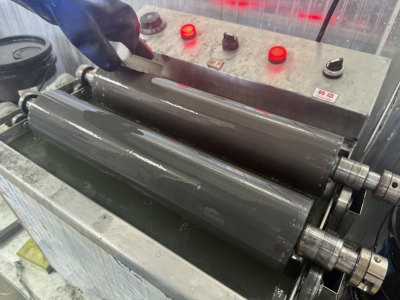
Figure 1 Ultrasonic Cleaner Cleaning of Anilox Rollers
(1) Mix the cleaning solution and water at a 3:1 ratio (the concentration varies with different brands, so ratios may differ), with the solution level contacting the roller by about 5mm. Wear rubber gloves during cleaning and use a nano sponge to wipe the surface of the roller. First, remove the ink on the roller surface, then soak the roller in the solution to further soften the residual ink in the cells. Ultrasonic cleaning can also be used for deep cleaning during this process. The principle of ultrasonic cleaning is: regardless of the soaking time, the ultrasonic generator should be turned on for less than 3 minutes. For anilox rollers with more than 1000 lpi, it is recommended to limit the time to less than 2 minutes. Prolonged ultrasonic cleaning may cause severe damage to the anilox roller. If the cleaning effect is not ideal, first consider the cleaning solution.
(2) After cleaning with the cleaning solution, use clean water to rinse off the residual cleaning solution on the roller surface (as shown in Figure 2).
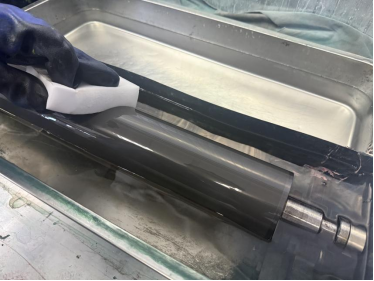
Figure 2 Wiping with clean water
(3) After cleaning with clean water, use a highly absorbent cotton cloth to wipe off the moisture on the surface of the roller. The surface color of the roller will return to the gray-white color it had when leaving the factory (as shown in Figure 3).
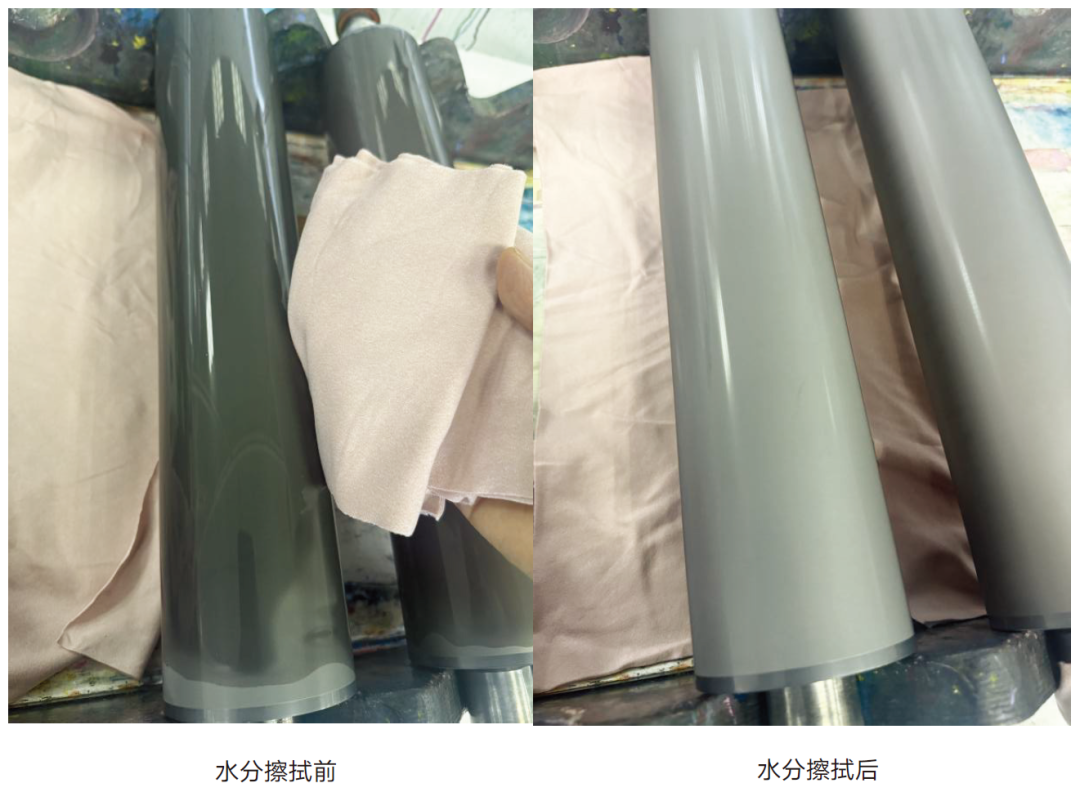 Figure 3 Comparison of Roller Surface Moisture Before and After Wiping
If ultrasonic equipment is not available, manual cleaning methods can be used. The specific procedure is as follows: use a nano sponge dipped in a special cleaning solution to gently wipe along the circumference of the screen roller; after cleaning, rinse with clean water. It is important to note that the use of metal brushes or blades is strictly prohibited.
3. Short-term protection. If the machine is stopped for a short period, the screen roller can be kept in an ink-balanced state or the doctor blade can be loosened, allowing the roller surface to remain coated and moist with ink. Also, make sure to cover it to avoid exposure to light (especially for screen rollers used for printing varnish or glue).
Deep Maintenance (Periodic/When Ink Transfer Is Poor)
When a screen roller has been in use for some time or poor ink transfer is observed, it is necessary to conduct deep cleaning and professional inspection.
1. Deep cleaning. For screen rollers with dried ink or surface staining, a strong deep-cleaning agent should be used for prolonged soaking to soften the dried ink, followed by restorative cleaning with ultrasonic equipment and a nano sponge. The detailed steps are as follows:
(1) First, clean the ink off the roller surface, then apply a strong deep-cleaning agent or water-pattern cleaning solution evenly on the roller surface, and wrap the roller with cling film (as shown in Figure 4). This allows the applied cleaning agent to more effectively soften and break down the ink in the mesh holes while also preventing the cleaning agent from evaporating easily, resulting in better cleaning performance.
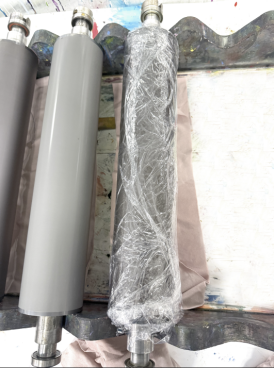
Figure 4 Wrapping the roller with cling film
(2) After soaking the roller for 3–4 hours, remove the cling film and repeatedly wipe the roller with a nano sponge. You will clearly see the residual ink on the roller surface being broken down. Then, clean the roller thoroughly (as shown in Figure 5). It should be noted that the degree of mesh hole blockage varies, so the above steps can be repeated until the mesh holes return to normal.
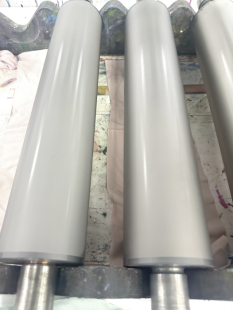
Figure 5 Cleaned Anilox Roller
2. Professional Inspection. Periodically (recommended every quarter), use a high-power microscope to check for wear and blockage in the anilox roller cells, and measure the cell volume to establish a performance record for the anilox roller.
Storage Maintenance
1. Cleaning and Rust Prevention. After the anilox roller is cleaned and thoroughly dried, apply a layer of special protective oil on both sides of the roller body.
2. Environmental Control. The storage area for anilox rollers should maintain a temperature of 15–30°C and humidity of 40%–60%.
3. Safety Protection. When storing anilox rollers, always cover them to prevent dust and protect from light, avoiding high temperatures that accelerate material aging or low temperatures that cause brittleness. Excessive humidity may cause the roller core to rust, while too low humidity may lead to material cracking. Additionally, the storage area should be kept away from corrosive chemicals such as acids, bases, and organic solvents.