


10 steps to perfectly master digital printing spot color matching
In the printing media technology project of the World Skills Competition, there is a competition content called "Digital Printing Spot Color Matching". From the score of the digital printing module in recent years, it can be seen that spot color matching has become one of the difficulties in scoring the digital printing module. As a guiding teacher for a print media technology project, the author has summarized and analyzed a set of effective methods to solve the current problems.
The Current Status of Spot Color Matching in Digital Printing
In recent years, through guiding the training of contestants and during the cutting process, the author has found that most of the contestants in printing media technology projects focus mainly on the traditional lithography module and do not pay enough attention to the digital printing module, resulting in a significant loss of points in this module. This is manifested in the following aspects.
01
Spot color matching task cannot be completed
The World Skills Competition Printing Media Technology Project uses Heidelberg Versafire EV digital printing machine for digital printing spot color matching. Participants are required to complete the matching of designated spot colors within a specified time, and the color difference of the spot colors must be less than 1. The color difference of the finished product must be consistent with the sample. Under strict requirements, most contestants are unable to complete the task within the specified time.
02
Improper operation of digital printing equipment
As the world's top skills competition, the WorldSkills Competition has strict standards and requirements in all aspects. Contestants often encounter situations where the final spot color difference cannot be controlled due to improper operation of digital printing equipment on site.
03
Spot color difference range exceeds the world competition standard
The scoring standard for this project is to assign points from small to large among participants with a color difference less than 1. The participant with the smallest color difference will receive full marks, and the larger the color difference, the lower the score. From the situation of provincial and national selection competitions in recent years, it can be seen that the proportion of players who can achieve color difference control within 1 is within 50%.
Analysis of the reasons for low scores in digital printing spot color matching
01
The athlete's training intensity is insufficient
Through observing the training and competition process of the contestants, the author found that the main factors that prevented them from completing tasks within the specified time were their lack of proficiency in operating digital printing equipment, unfamiliarity with equipment functions, and the need to repeatedly confirm steps before proceeding to the next step. In addition, the tense competition atmosphere affected the contestants' mood, resulting in a significant reduction in the quality of task completion.
02
Improper operation of digital printing equipment
In the process of digital printing spot color matching, contestants often only focus on the process and ignore the standardization and quality of each step. For example, contestants may not print more than 3 sheets when printing test pages, fail to calibrate EyeOne before measuring color difference, and perform non-standard operations such as not placing white paper under the printed material when EyeOne measures target color difference, all of which can affect color difference.
03
The operation process for spot color matching is not standardized
The Heidelberg Versafire EV digital printing machine, as a competition model for the digital printing module of the World Skills Competition printing media technology project, has a first-class level of accuracy in spot color matching in the industry. Under standard operating procedures, the accuracy of matching device color spot colors can be significantly improved. During the competition, some contestants did not follow the standard operating procedures of the equipment, resulting in the loss of points from time to time.
Standard steps and application examples for digital printing spot color matching
Digital printing equipment is different from other printing equipment and is often affected by the surrounding environment and other factors. This requires contestants to calibrate the digital printing equipment before performing spot color matching, then create and apply paper ICC, and finally input the target spot color for automatic color adjustment. The following will provide a more vivid explanation of the operation steps for spot color matching.
01
Load the correct paper
Digital printing spot color matching needs to be calibrated by loading copperplate paper. First, check the size and surface of the paper, and then load it into the 3 # or 4 # paper box, as shown in Figure 1.
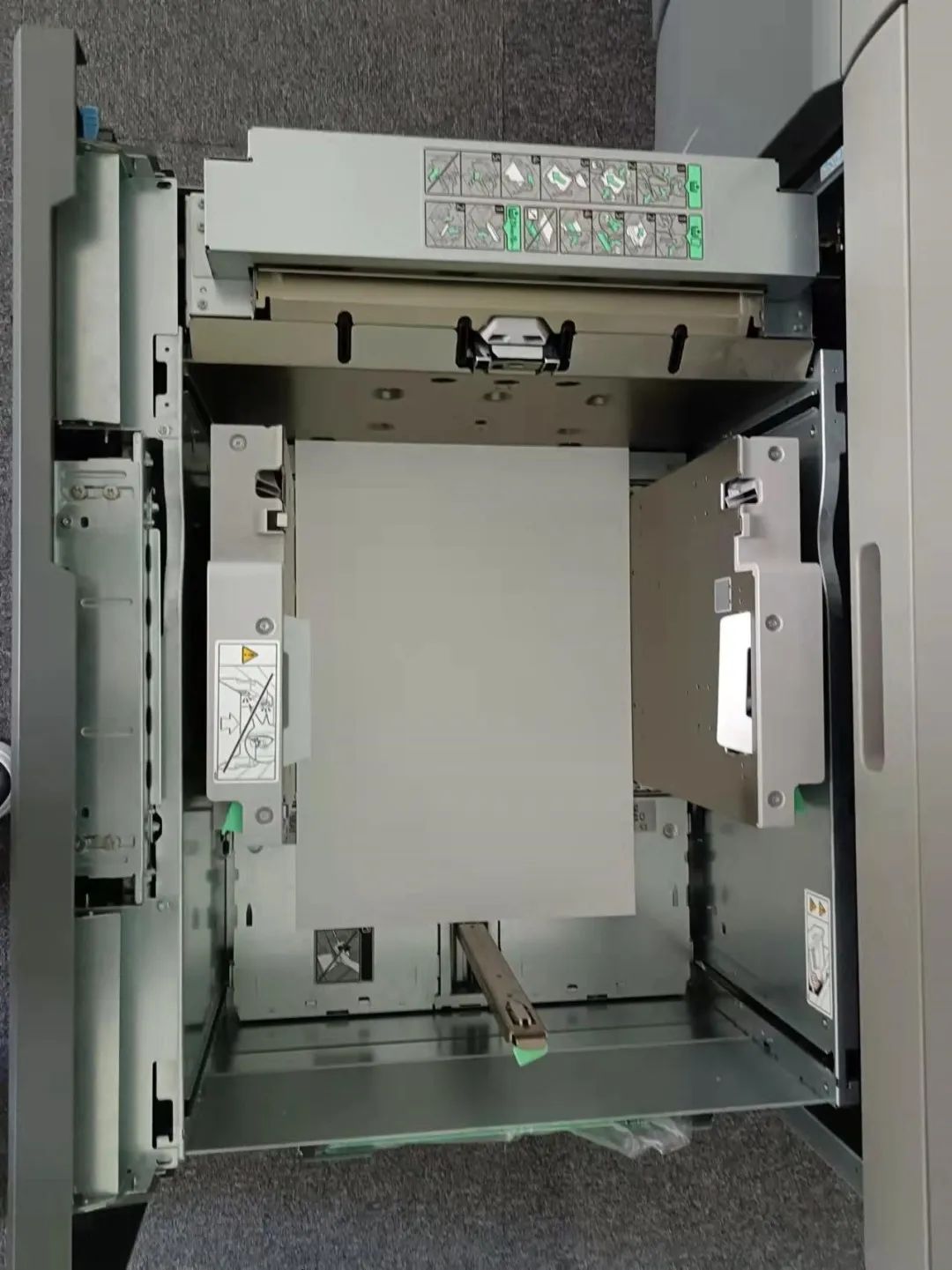 Figure 1 Checking Paper Size and Surface
02
Set paper parameters
Enter parameters such as paper size, thickness, and type into the device, especially when selecting copperplate paper correctly.
03
Create calibration and print test page
When creating a new calibration, it is important to select 175 wires and print at least 3 sheets. When printing the test page, be sure to select the manual measurement function.
04
EyeOne Scan Calibration Test Page
Before scanning and calibrating the EyeOne test page, it is necessary to calibrate the EyeOne first. Place a white paper underneath the test page, as shown in Figure 2.
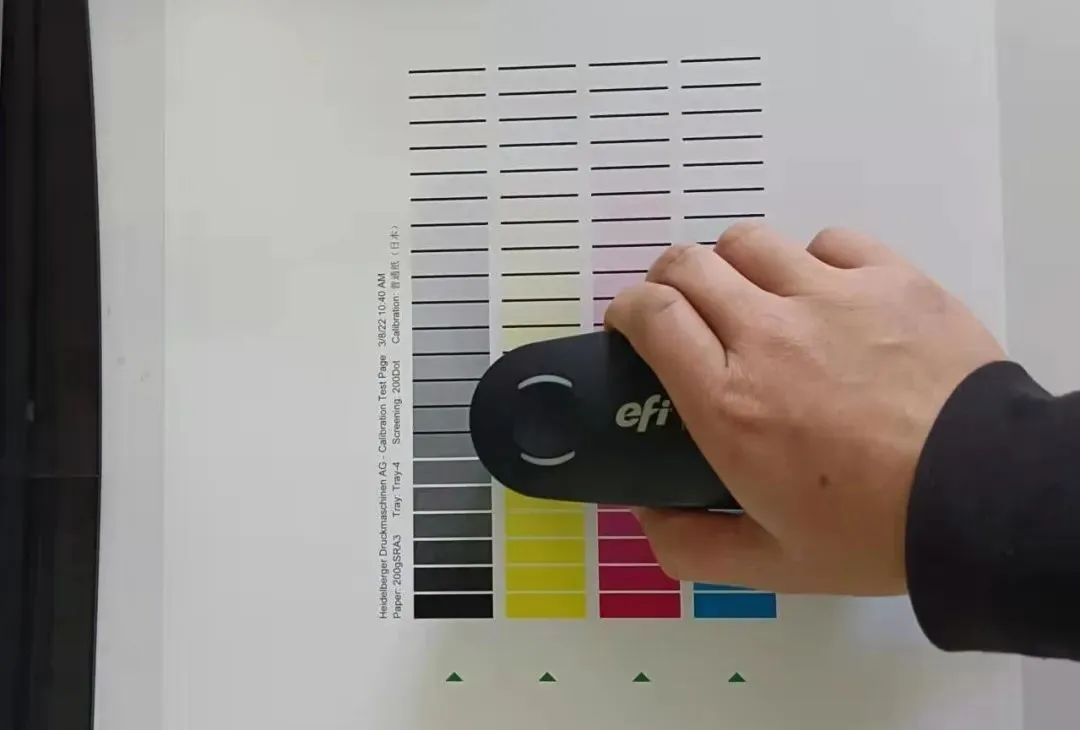 Figure 2 i1 Scan Calibration Test Page
05
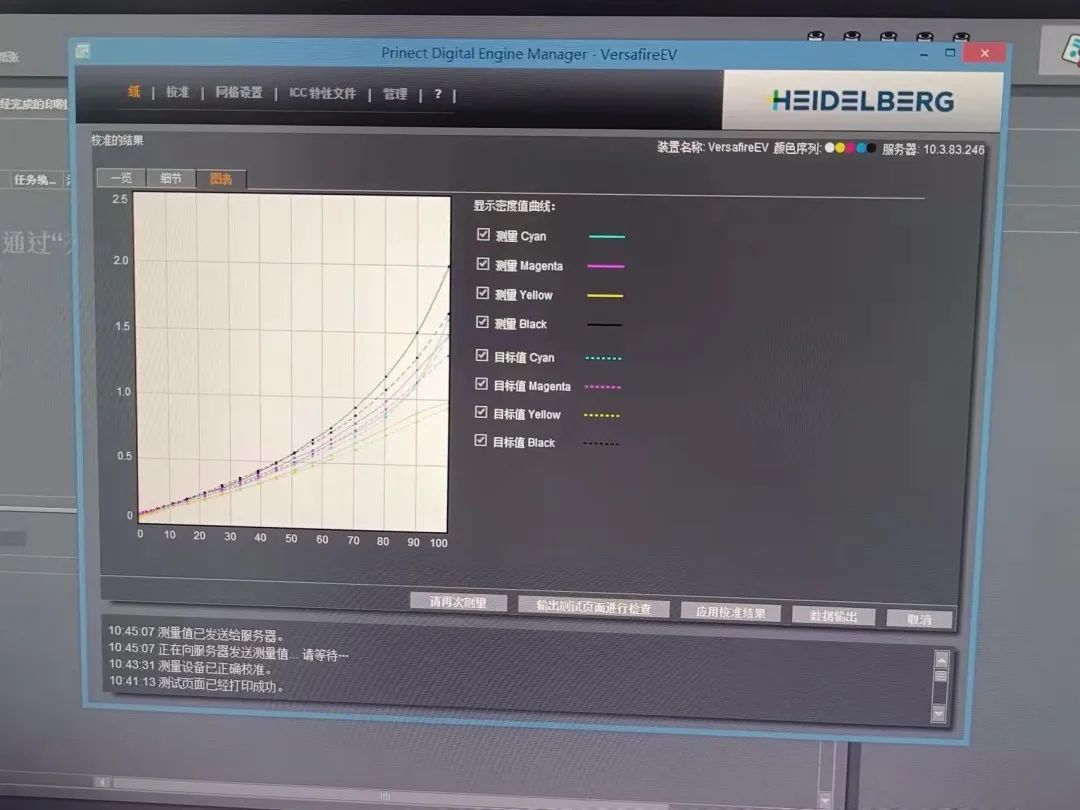
Comparison between scanned values and standard values
As shown in Figure 3, check the scanning density in the device to ensure that the scanning density is within 5% of the standard error. If it exceeds the range, recalibration is required.
 Machine translation · General field
Figure 3 Comparison between scanned values and standard values
06
Create a new ICC production
Create a new ICC and print a standard color chart. At least 3 copies of the standard color chart should be printed. When printing the color chart, all color management and color conversion options in the digital printing equipment need to be cancelled.
07
Practical ISIS Scanning Standard Color Chart
Use ISIS to scan the standard color chart, and select the second to last sheet for scanning. At the same time, pay attention to placing the color chart to ensure that the edges of the paper are parallel and smooth, as shown in Figure 4.
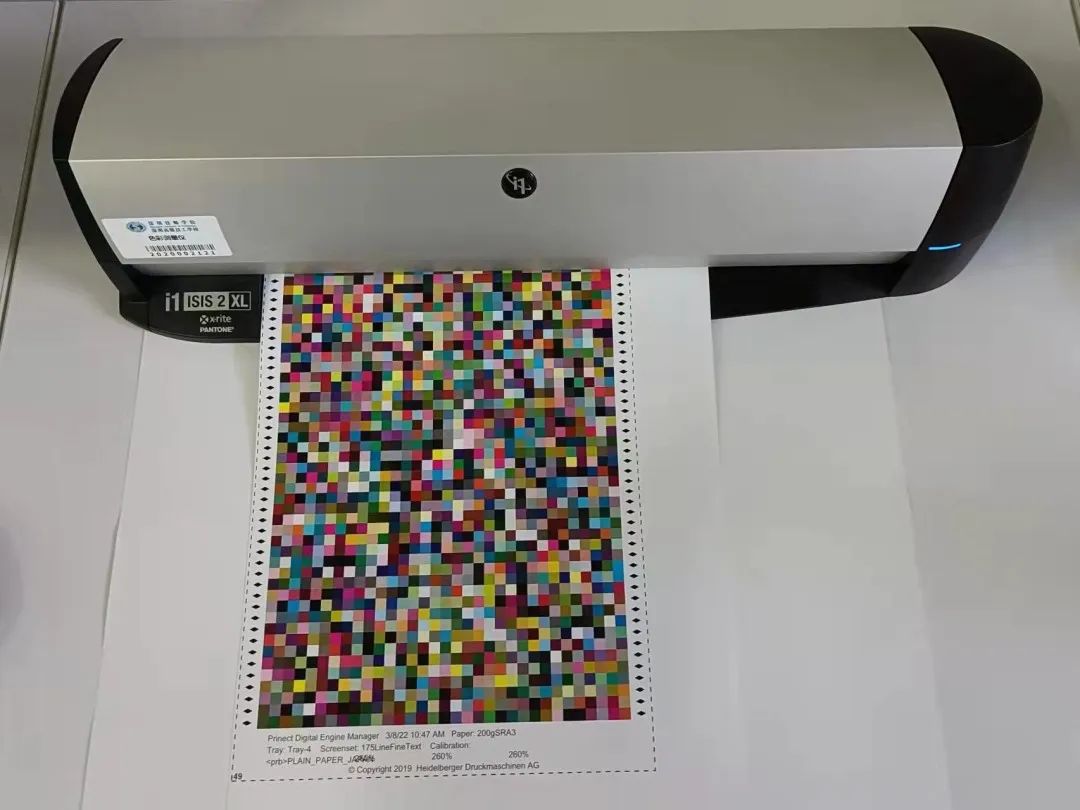 Figure 4 ISIS Scanning Standard Color Chart
08
Use the Color toolbox to view scanning errors
Use the Color toolbox to check the scanning error. If the number of points exceeds the specified limit, it is considered unqualified and needs to be reprinted and scanned.
09
ICC import and use
Import ICC into digital printing equipment and use it, while selecting the color conversion tool that comes with the device again.
ten
Automatic spot color matching
After EyeOne calibration, input the target color, and the device automatically matches the spot color. Print the test page and measure the spot color.
The above methods are a set of effective methods summarized by the author through long-term guidance of student training and consultation with authoritative experts in the industry. They have been verified in practice and achieved good results. There may be some omissions in this method, and colleagues are welcome to provide valuable feedback and suggestions.