


QR codes not scanning? These inkjet printing tips can save you time and effort!
Since their creation, QR codes have been widely used in daily life due to their large information storage, versatility, and strong information protection. For example, in supermarkets, scanning a QR code can quickly complete payment; for product tracking in companies, QR codes can provide information about production and distribution; and for promotional purposes, scanning a code can show company or product introductions and promotional videos.
However, in everyday life, we often encounter issues where QR codes can't be fully recognized, which is frustrating for operators and inconvenient for us. To ensure QR codes can be scanned smoothly, it's important to pay attention to both design and printing aspects before and after printing.
QR Code Design Tips
01
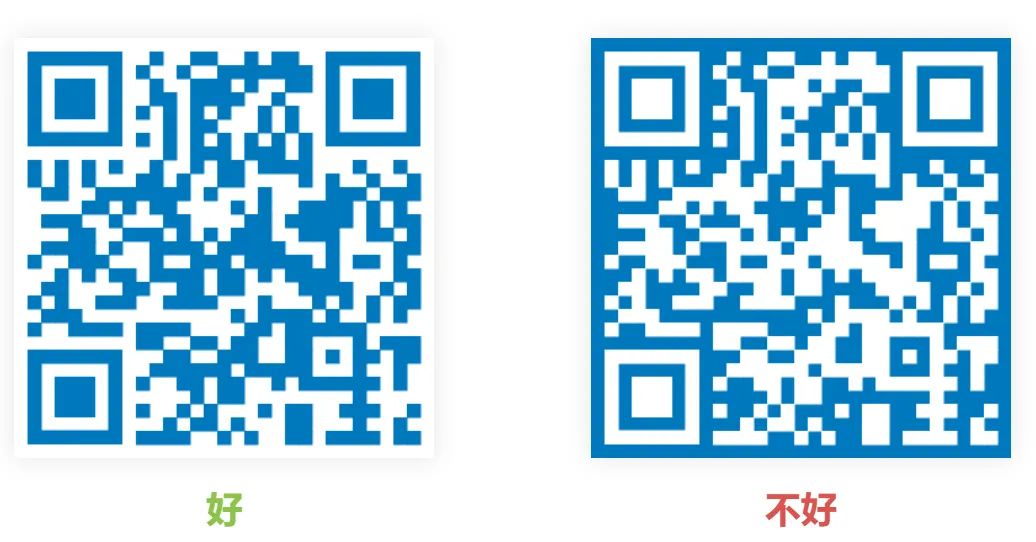
Unreasonable QR Code Color Design
For any QR code scanner, there needs to be a clear contrast between the code and the background for proper recognition. Also, the code itself should be in a dark color to be easily read. Often, in an effort to make QR codes look appealing, people choose overall color schemes that aren't suitable. For instance, if the code is set in white, it's very likely it won't be recognized. That's why normal QR codes are usually black-it's simply to make sure they can be easily scanned.
02
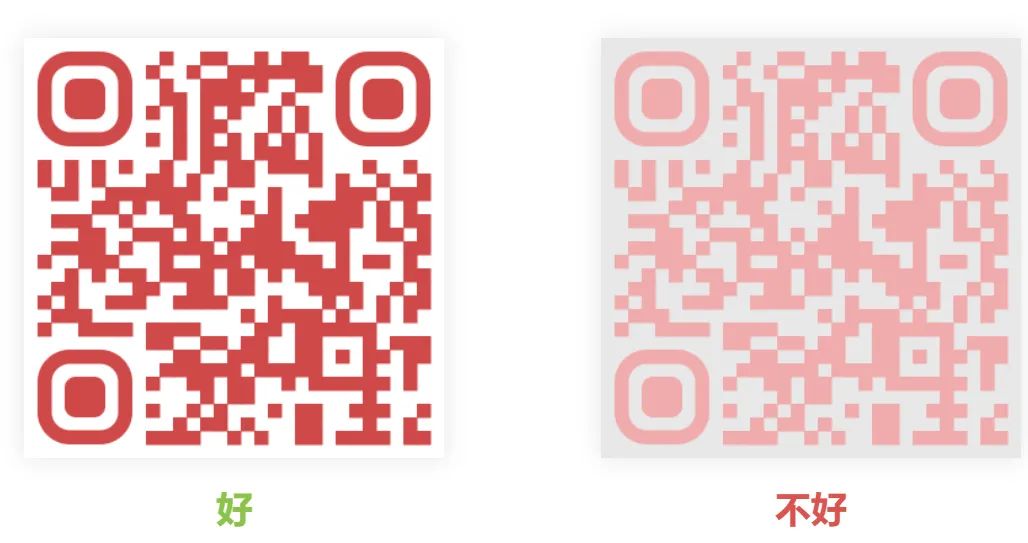
QR Code Color Contrast Is Not Enough
When choosing a background color other than white or black, you need to make sure the QR code has enough contrast. Colored QR codes can be really eye-catching, but the key is to make sure they can still be scanned properly. If the colors in the QR code are too similar, scanners might have a hard time reading it in low light.
03
Blurry QR Code
The generated QR code must have enough resolution so that it stays clear even when enlarged. If the resolution isn't high enough, the large printed image will become very blurry, making it hard to scan.

04
QR code is too small
A QR code being too small is also one of the reasons it can't be scanned. Different phones have different specs, and some phones can't recognize smaller QR codes, so this needs to be considered when printing QR codes. The printed QR code should be at least 2cm × 2cm to ensure it can be scanned properly. You also need to choose the right size depending on how it will be used.
05
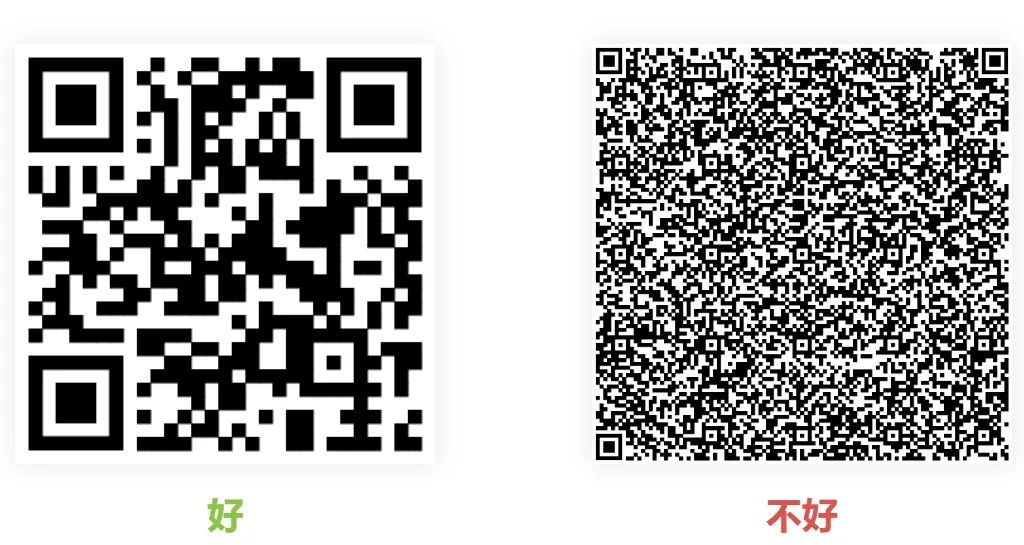
Too much content in the QR code
The number of pixels in a QR code is proportional to the content you put in. If there's too much content, the QR code becomes dense and hard to recognize. So if you need to include a lot of information, it's better to use a dynamic QR code tool rather than a static code.
Precautions for Inkjet Printing of QR Codes
Inkjet printing is a type of computer-to-material printing technology, where ink is sprayed through nozzles directly onto the substrate to create an image. The characteristics of inkjet printing make it capable of handling variable data processing that traditional printing cannot, which is useful for printing QR codes. If a QR code is not printed properly, it might look fine to the naked eye but still not be 100% readable by a QR code scanner. Therefore, when using inkjet printing for QR codes, you should pay attention to the following points.
01
Adjusting Paper Moisture Content
If the paper's moisture content is not properly adjusted, a freshly printed QR code might be scannable at first, but after drying, ink spreading and paper shrinkage could warp the image, affecting QR code recognition. Therefore, it's important to control the paper's moisture content before printing to ensure QR codes remain scannable.
02
Pay Attention to Paper and Nozzle Distance
During inkjet printing, the distance between the paper and the nozzle is usually around 2mm. However, due to the inconsistent tension of roll paper or unevenness on a single sheet platform, the distance can vary during printing, leading to blurred or broken QR codes or ink smudging.
To avoid this, choose high-quality paper, flatten it before printing, remove loose fibers and dust, and reduce surface roughness. You can also slightly stretch the paper during printing to improve flatness. Especially when the paper passes under the nozzle, it mustn't shake, and the distance to the nozzle should remain steady to ensure the QR code prints cleanly on the surface.
03
Control the Ink Amount
For inkjet printing, the ink layer thickness should be less than 0.1mm, otherwise the difference in height between bars and spaces could affect QR code readability. Use ink with good uniformity and diffusion properties, and ensure it matches the substrate. Since ink flow depends heavily on temperature, adjust ink amounts according to the environment. Also, after infrared drying, QR codes should be at least 90% dry, with edges clear and intact.
04
Other Precautions
Before printing, avoid using reflective materials for QR codes. When mass printing QR codes, scan a few first to test readability before committing to large-scale production. After printing, store the prints flat to prevent warping.