Avoiding pitfalls guide! 12 details that must be checked before printing!
Pre press inspection is an important step in ensuring that the design intent is accurately and non destructively transmitted to the physical product. Strict pre press inspection is an effective means of controlling printing risks, costs, and quality. Pre press inspection has the following 12 details that require special attention:
01
bleed line
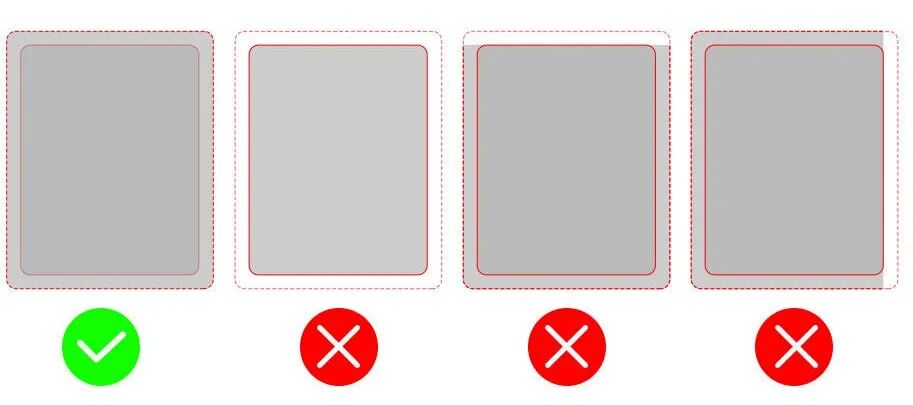
Reserve at least 3-5mm of space in the bleeding area to prevent content from being trimmed or creating blank edges.
02
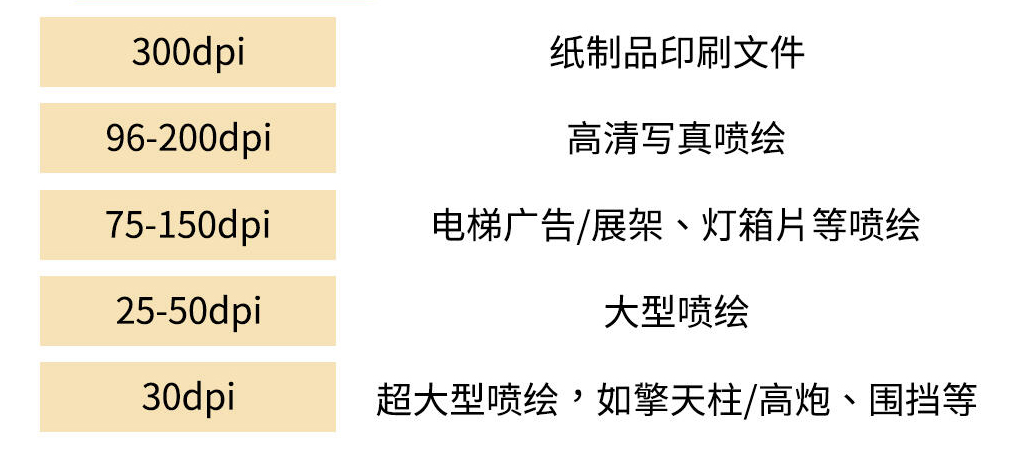
Resolution
03
Font to Curve Conversion
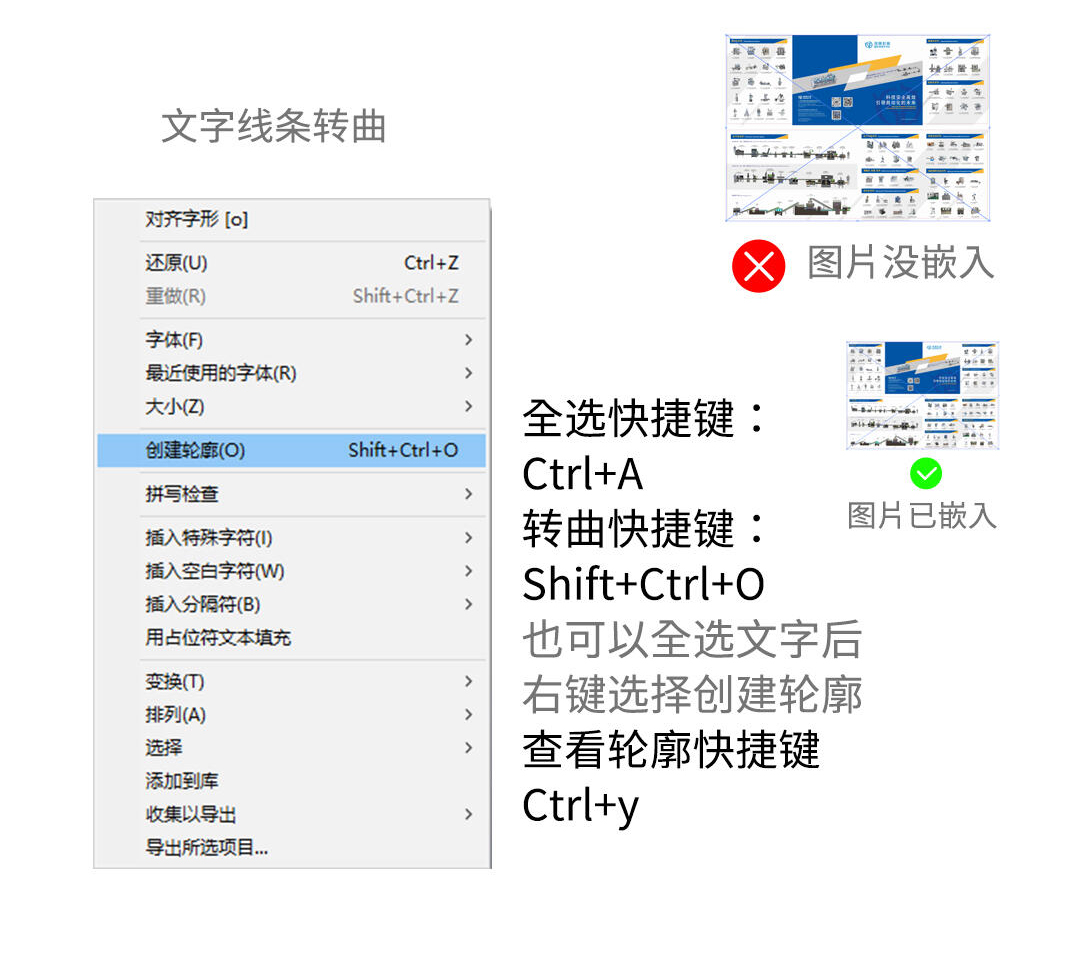
To ensure that there is no loss of fonts or images, it is recommended to convert all fonts and lines in the production file into outlines and embed all images. For projects that contain a large amount of text and are not easy to convert into outlines (such as books or magazines), it is also possible to consider packaging fonts and images together.
04
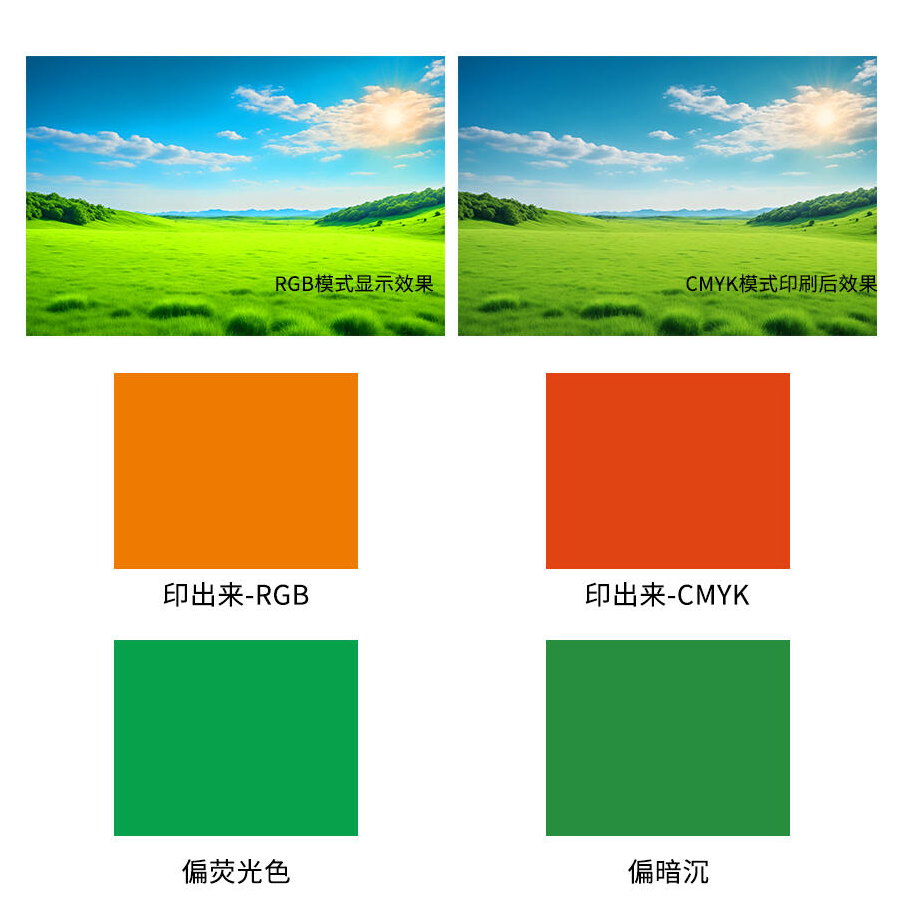
Color mode
The color mode of printed materials must be set to CMYK. RGB is the color of light sources, suitable for electronic displays, while CMYK is the color adjustment suitable for printed materials. If the RGB mode is mistakenly used during printing, there will be significant color differences when printed on paper.
05
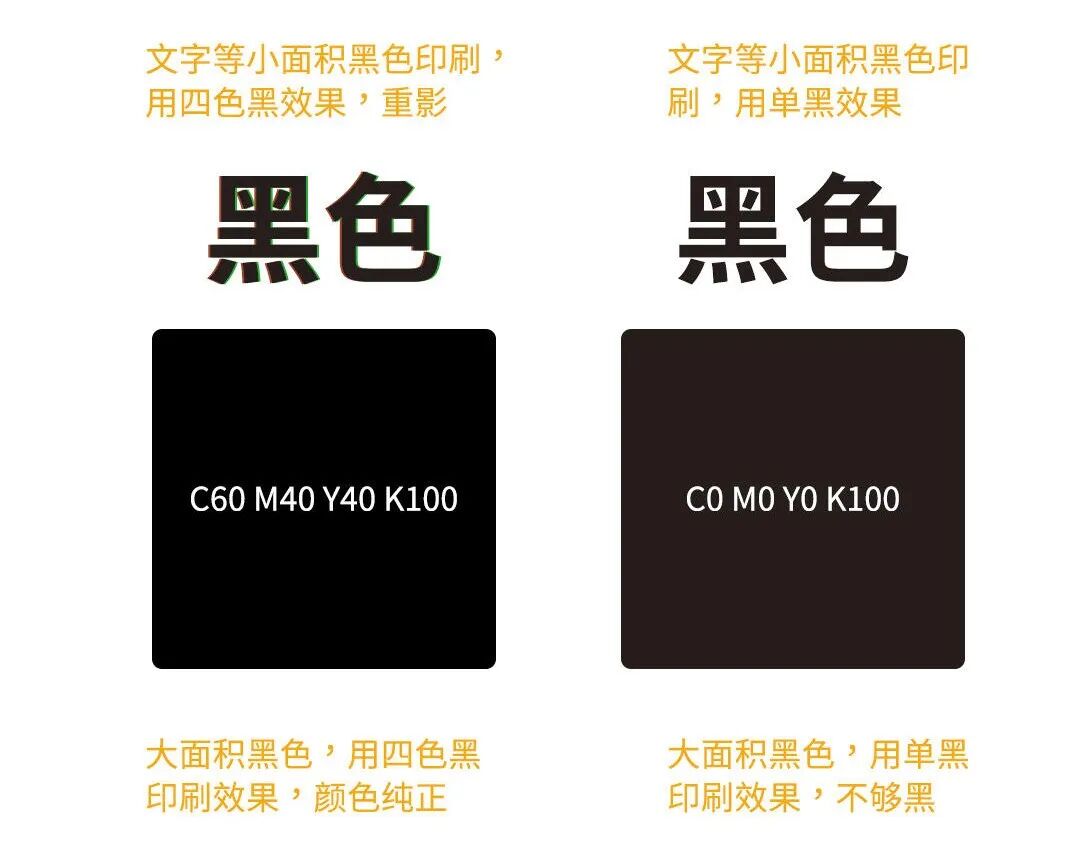
Avoid using four-color black on small font text
When printing small areas of black content such as text and QR codes, it is recommended to use monochrome black. Using four-color black may result in inaccurate overprinting, leading to issues such as ghosting and smudging. For large areas of black printing, using monochrome black may cause the color to turn gray, so four-color black should be used.
06
Check color values
The less CMYK channels are used, the cleaner the color. If one of the CMYK color channels has a smaller color value, the smallest channel value can be adjusted to 0. Try to avoid the values of CMY3 channels being too close, and avoid using a third channel for colors that can be mixed with two channels.
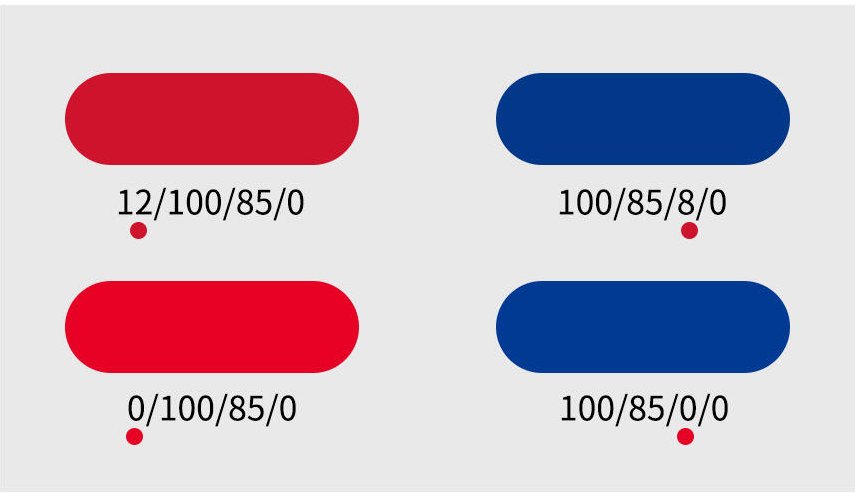 Upstream: Multiple channels, dirty color
Downward: reduced channels, cleaner colors
07
Check color values
The color or image transparency should not be less than 10%. Transparency below 10% may result in the inability to present the printed product.
08
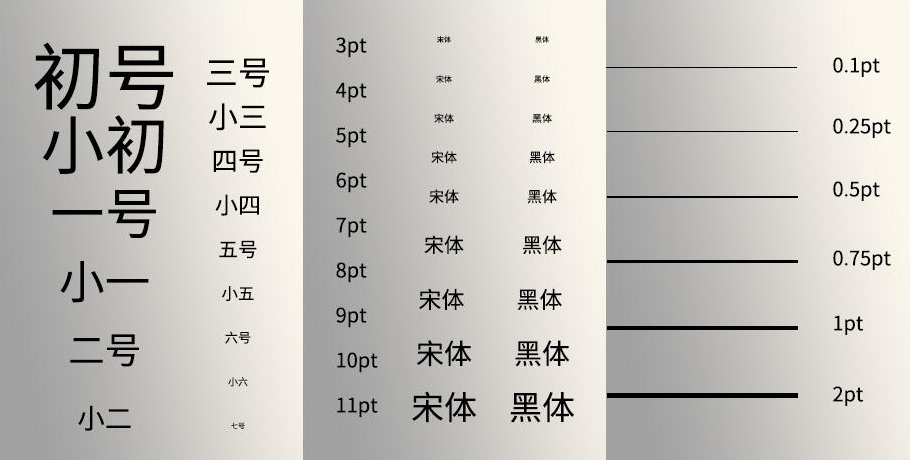
Check the font of the file
Font copyright: Is it free for commercial use
Font size: 6pt or above
Line thickness:>0.25pt
Reverse text:>10pt; Reverse lines:>0.5pt
09
Check the margin
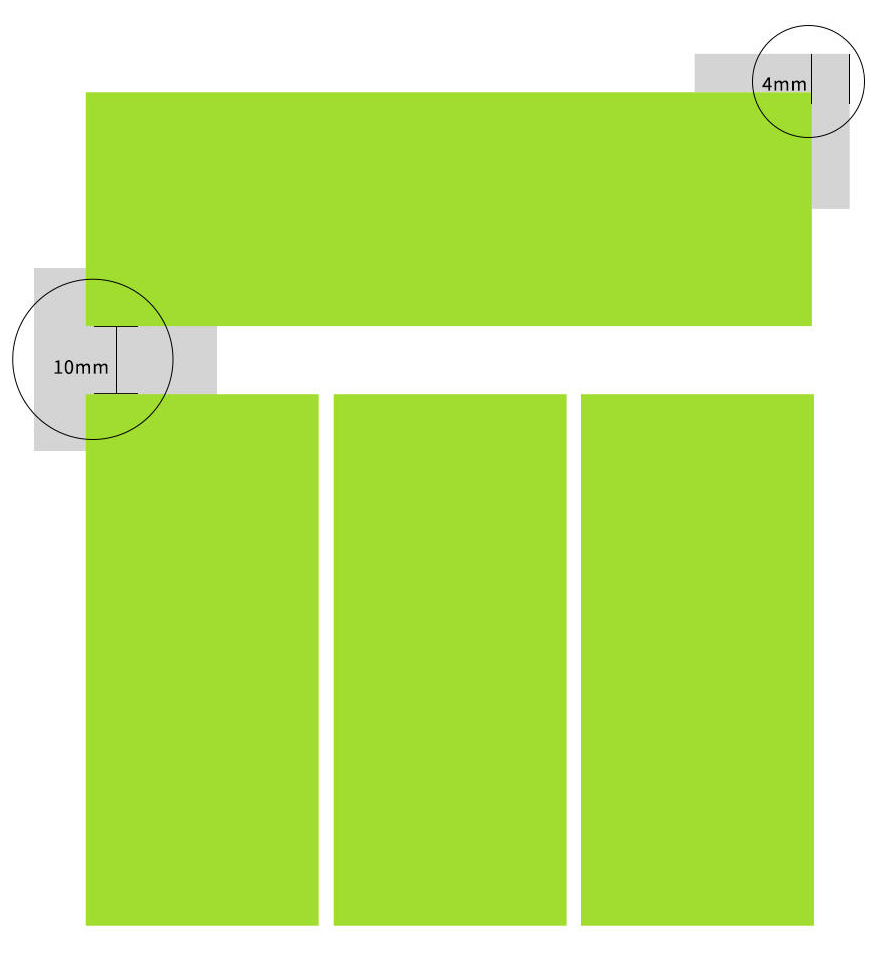
Images and text in printed documents should not be too close to each other, leaving a minimum distance of 4-6mm. In addition, at least 10mm space should be left between the images during typesetting to prevent accidental cutting during cutting.
10
Process/Dimensional Labeling
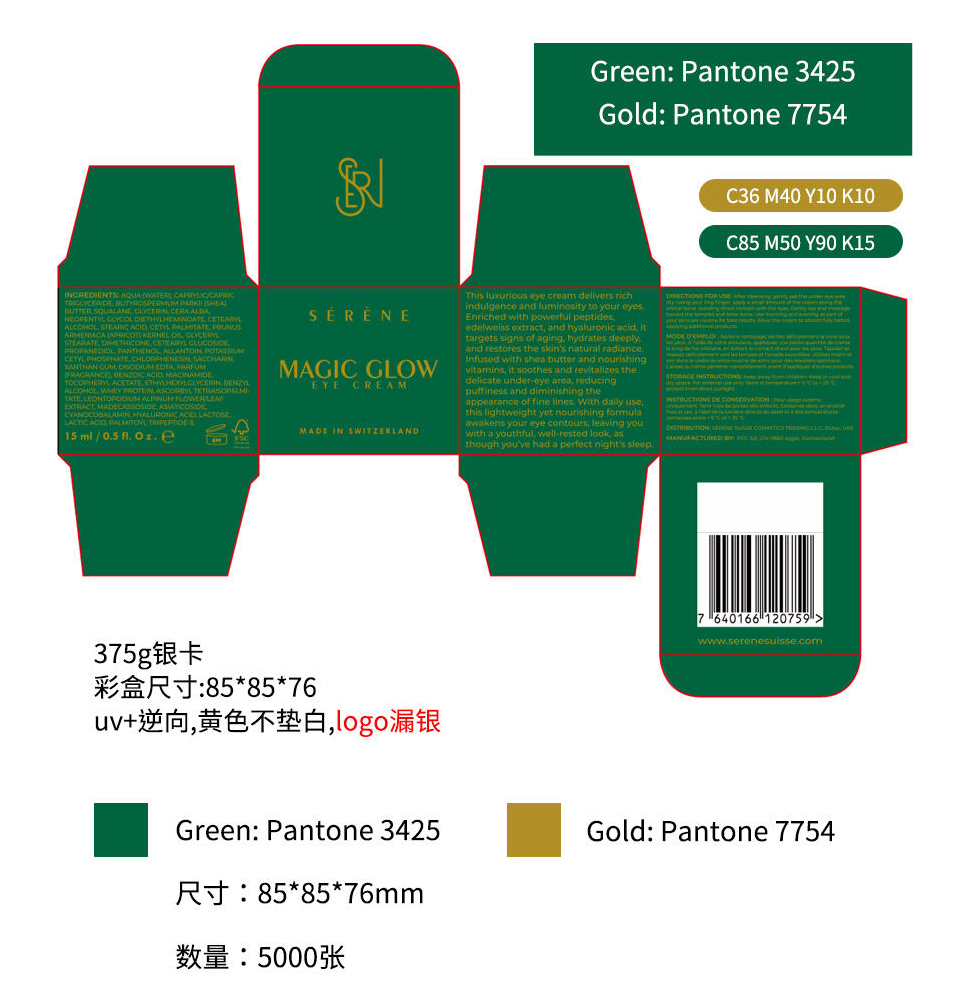
In order to reduce unnecessary rework, the design documents must indicate the quantity, size, process and other requirements, and clearly mark the Pantone color code where spot colors are needed.
11
Content proofreading
The proofreading process of books and publications usually requires three rounds of proofreading and three rounds of correction. Although daily printed materials are not as strict, it is still necessary to carefully check for typos, grammatical errors, and relevant regulatory requirements when outputting and producing documents.
twelve
File output
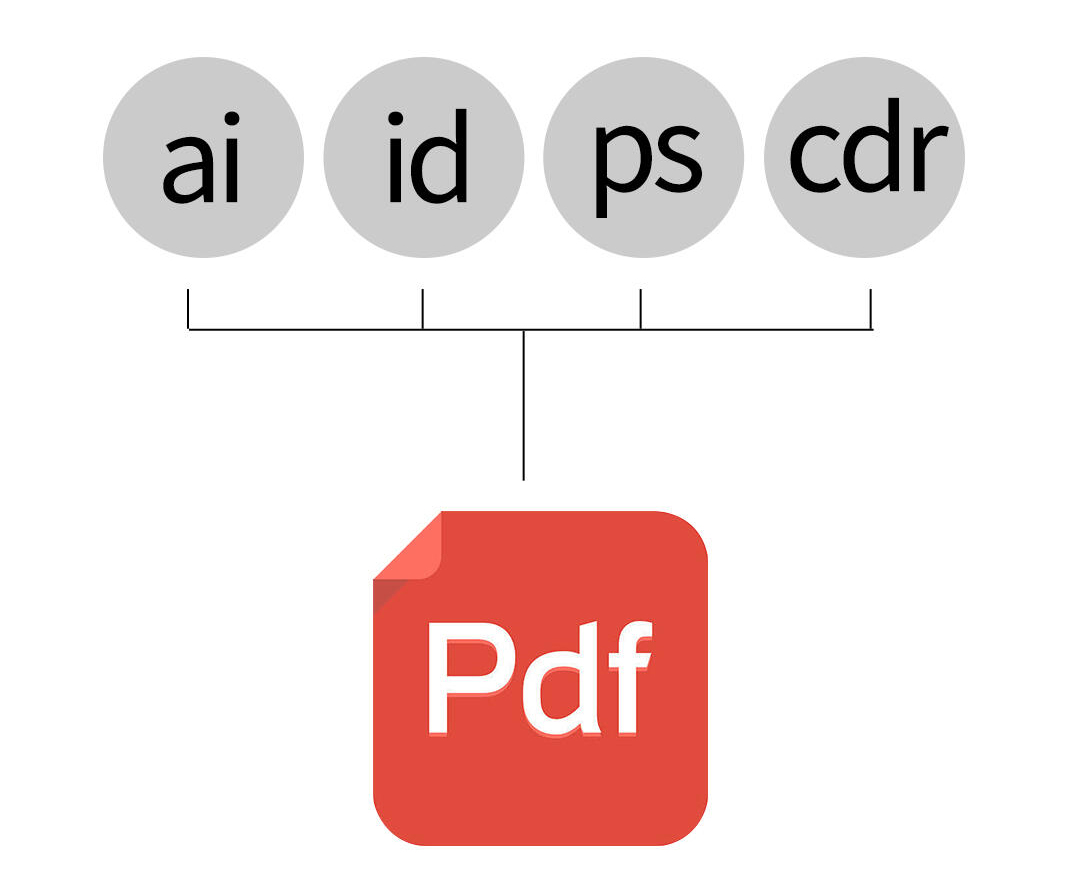
After checking all the content, it is advisable for the printing factory to receive a PDF version of the file, as it is compatible with multiple software and easy to transfer.
Reminder: Before mass printing, remember to make a sample to see the effect