


10 Steps to Perfectly Master Spot Color Matching in Digital Printing
In the Printing Media Technology project of the WorldSkills Competition, there is a competition segment called 'Digital Printing Spot Color Matching.' From the scoring trends of the digital printing module over recent years, it's evident that spot color matching has become one of the challenges in scoring for this module. As a mentor for the Printing Media Technology project, I've analyzed and summarized an effective method to tackle the current difficulties.
Current Situation of Spot Color Matching in Digital Printing
In recent years, through guiding contestants during training and judging processes, I've noticed that most contestants focus their main efforts on traditional offset printing modules, paying insufficient attention to the digital printing module. This leads to significant point losses in this module, showing up mainly in the following areas.
01
Inability to Complete Spot Color Matching Tasks
The WorldSkills Competition uses the Heidelberg Versafire EV digital press for the digital printing spot color matching tasks. Contestants are required to complete the specified spot color match within a set time, with a delta E of less than 1, and the finished piece must match the sample exactly. Under these strict requirements, most contestants fail to complete the task within the allotted time.
02
Improper Operation of Digital Printing Equipment
As the world's top skills competition, WorldSkills has strict standards in every aspect. On site, improper operation of digital printing equipment by contestants often results in the final spot color being out of the acceptable range.
03
Spot Color Delta E Exceeding Competition Standards
The scoring standard for this project assigns points to contestants with delta E less than 1, with the smallest delta E earning full marks and larger differences scoring lower. From recent provincial and national qualifiers, less than 50% of contestants manage to control delta E within 1.
Reasons for Low Scores in Digital Printing Spot Color Matching
01
Insufficient Training Intensity
Observing the contestants' training and competition, I found that the main reason they fail to complete the task on time is unfamiliarity with operating the digital press. They need to repeatedly confirm steps before moving on, and combined with the competition pressure, this affects their mindset, reducing the quality of task completion.
02
Improper Operation of Digital Printing Equipment
During spot color matching, contestants often focus only on the process and neglect the standard and quality of each step. For instance, not printing more than three test sheets, not calibrating the EyeOne before measuring color differences, or not placing white paper under the print during EyeOne measurement-all these improper operations affect the color accuracy.
03
Non-standard Spot Color Matching Workflow
The Heidelberg Versafire EV, used in WorldSkills for digital printing, has industry-leading spot color accuracy. Following the standard operating procedure significantly improves matching accuracy. However, some contestants do not follow the standard workflow, resulting in noticeable point losses.
Standard Steps and Practical Examples for Spot Color Matching in Digital Printing
Digital printing equipment, unlike other presses, is often affected by the surrounding environment and other factors. This requires contestants to calibrate the press before matching spot colors, create and apply paper ICC profiles, and finally input the target spot colors for automatic color adjustment. Here are the steps illustrated more clearly.
01
Load the Correct Paper
Spot color matching in digital printing requires loading coated paper for calibration. First, check the paper size and surface, then load the paper into cassette 3 or 4, as shown in Figure 1.
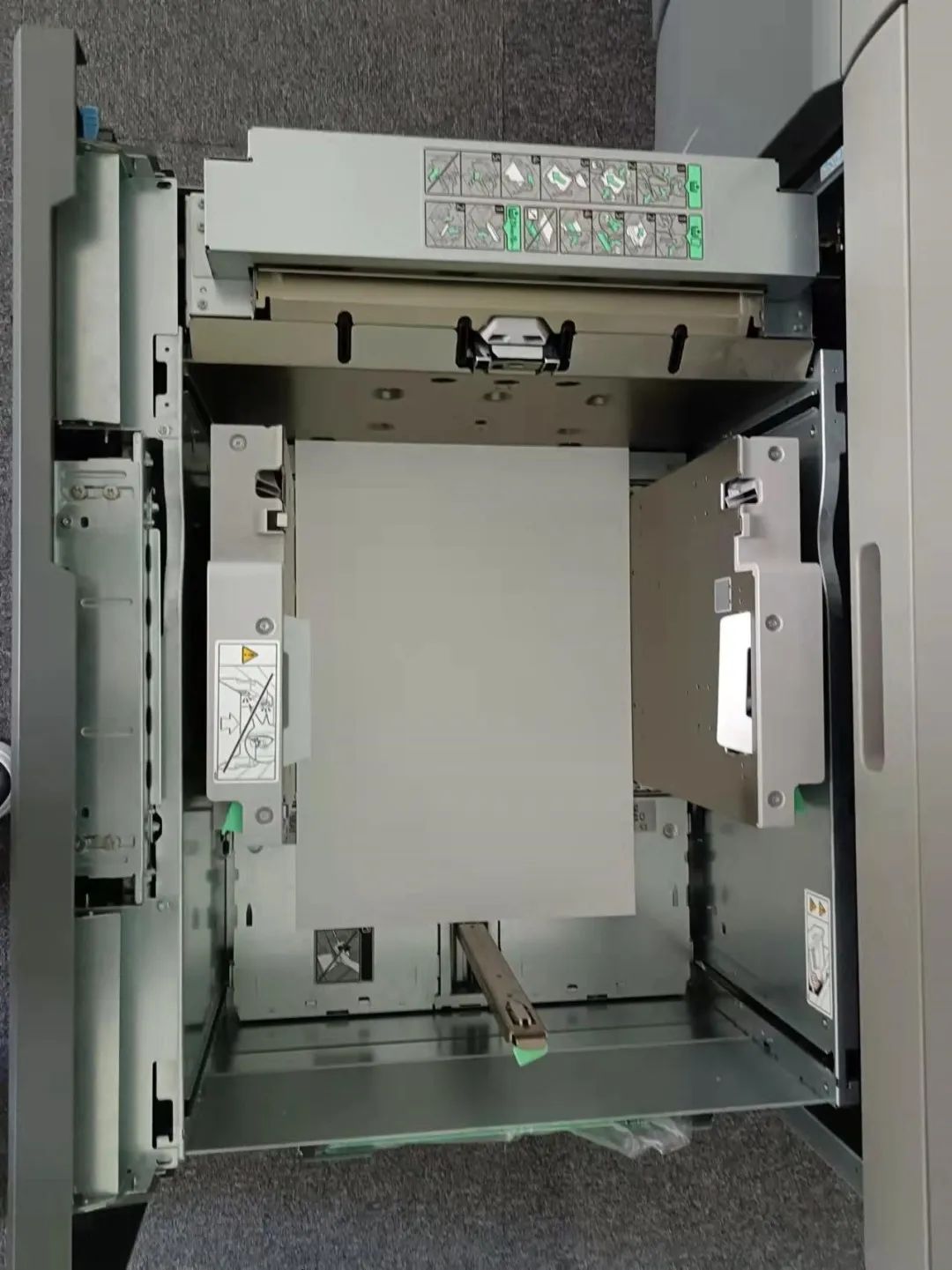 Figure 1 Check the paper size and surface
02 Set the paper parameters
Enter the paper size, thickness, and type into the device, and make sure to select coated paper correctly.
03 Create a new calibration and print test pages
When creating a new calibration, pay attention to set the line screen to 175, print at least 3 sheets, and choose the manual measurement function when printing the test pages.
04 Scan the calibration test page with EyeOne
Before scanning the calibration test page with EyeOne, you need to calibrate the EyeOne first. Place a white sheet under the test page, as shown in Figure 2.
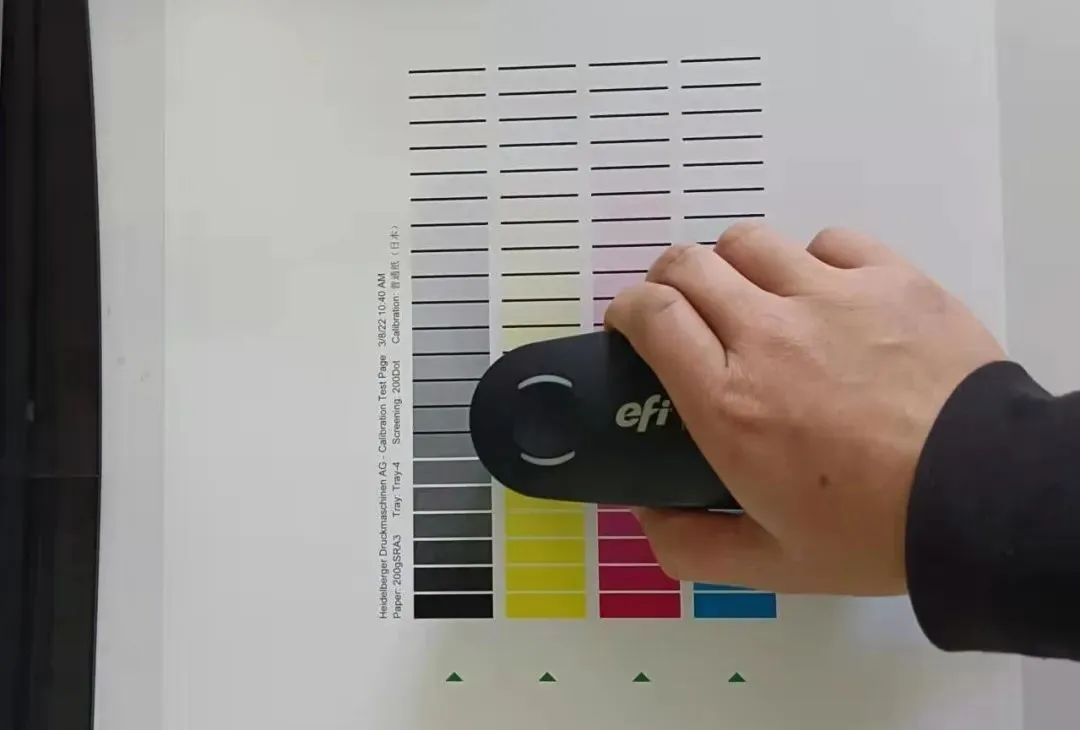 Figure 2 i1 Scan Calibration Test Page
05
Comparison of Scanned Values with Standard Values
As shown in Figure 3, check the scan density on the device and make sure the scan density is within 5% of the standard error. If it exceeds this range, recalibration is needed.
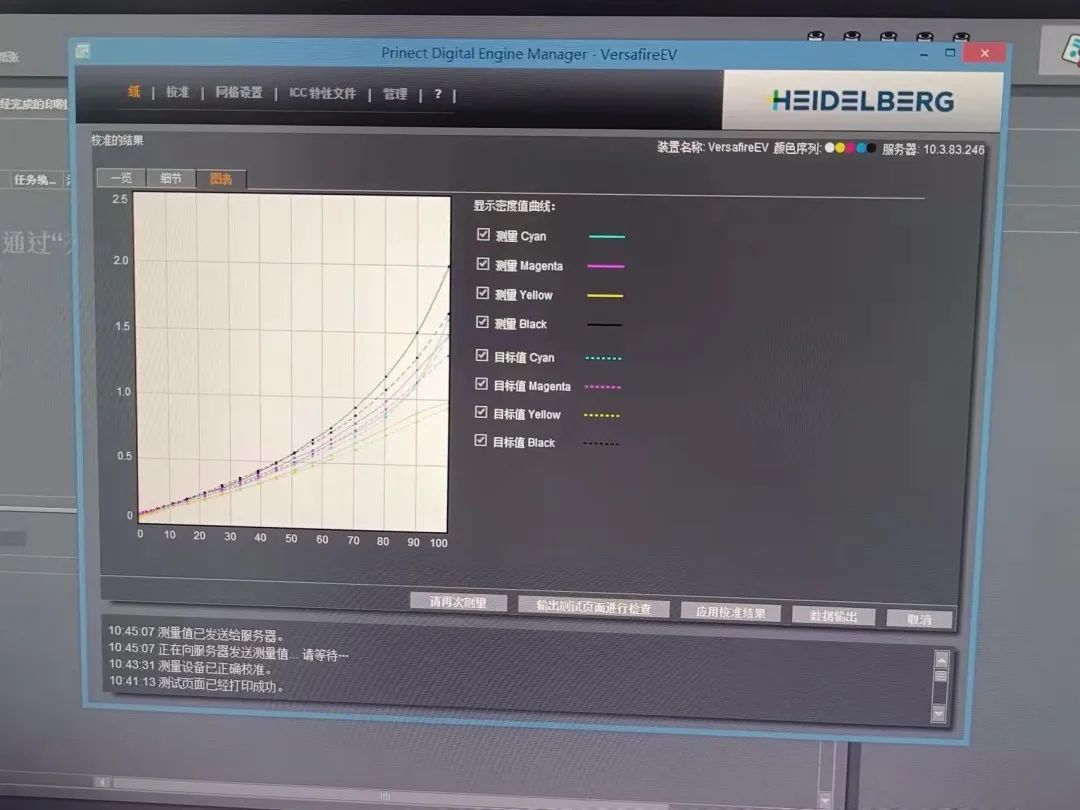 Figure 3 Comparison between Scanned Values and Standard Values
06
Creating a New ICC Profile
Create a new ICC profile and print the standard color chart. Print at least three copies of the standard color chart. When printing the chart, make sure to turn off all color management and color conversion options in the digital press.
07
Using ISIS to Scan the Standard Color Chart
Use ISIS to scan the standard color chart. Choose the second-to-last page of the chart for scanning. Also, make sure the chart is placed with the paper edges parallel and smooth, as shown in Figure 4.
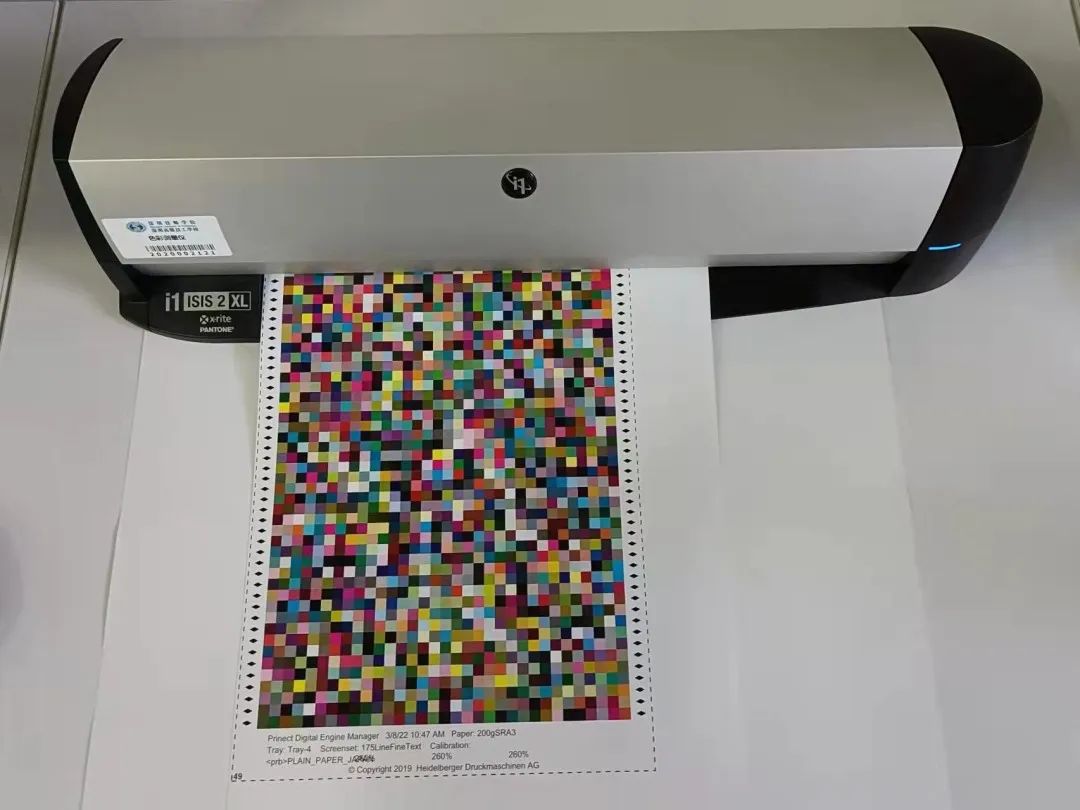 Figure 4 ISIS Standard Color Chart
08
Checking Scan Errors with Color Toolbox
Use Color Toolbox to check scan errors. If the errors exceed the specified number of points, it is considered unqualified, and the print needs to be redone and scanned again.
09
Importing and Using ICC
Import the ICC into digital printing equipment and use it, while reselecting the device's built-in color conversion tool.
10
Automatic Spot Color Matching
After calibrating with EyeOne, input the target color, and the device will automatically match the spot color, print a test page, and measure the spot color.
The above methods are a set of effective techniques that the author has summarized from long-term guidance of student training and consulting industry experts, verified in practice, and achieved good results. There may be some omissions in this method, and colleagues are welcome to offer valuable advice.