


QR code printing quality issues might actually come from these main factors!
In cigarette pack printing production, variable QR codes serve as the core carrier for product information tracking and brand anti-counterfeiting. The scanning quality and appearance of these codes are key factors in controlling print quality. In actual production, QR code printing can have issues like blurring, white line breaks, or insufficient black-and-white contrast, largely due to uncontrolled ink droplet ejection, flight, and spreading. This article takes the SF7800PRO high-speed single-sheet coding printer by Jingjuan as an example. Combining production practice and by optimizing software parameters to finely control the ink droplets, we can achieve stable, high-quality QR code printing without changing the original equipment hardware or paper and ink.
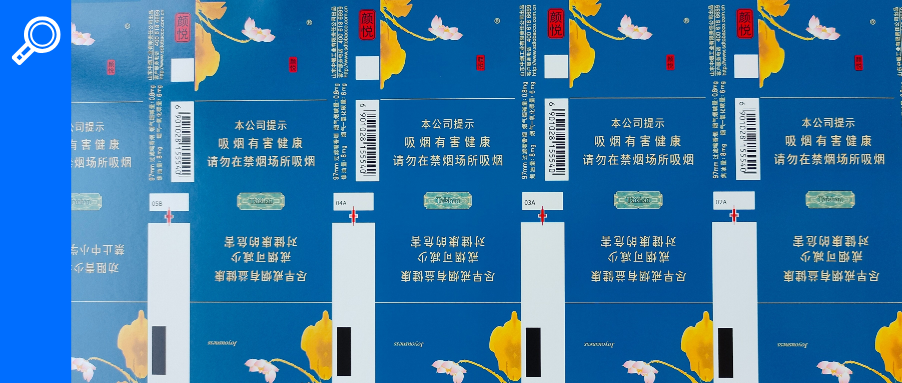
Analysis of Inkjet Printing Quality Defects and Their Causes
In printing production, the main quality defects of inkjet QR codes are: first, blurriness, where the ink droplets are too strong, spreading on the paper surface into white areas, causing the black and white edges to bleed and gray levels to be unbalanced, as shown in Figure 1; second, streaking with white or black lines, where ink droplets break into tiny dots in flight, getting shifted by airflow or static interference, or unstable ink supply pressure causing ink breaks and extra black lines; third, position offset, where low contrast between alignment marks and background or reflective interference causes equipment recognition errors, resulting in QR codes being printed skewed or misaligned.
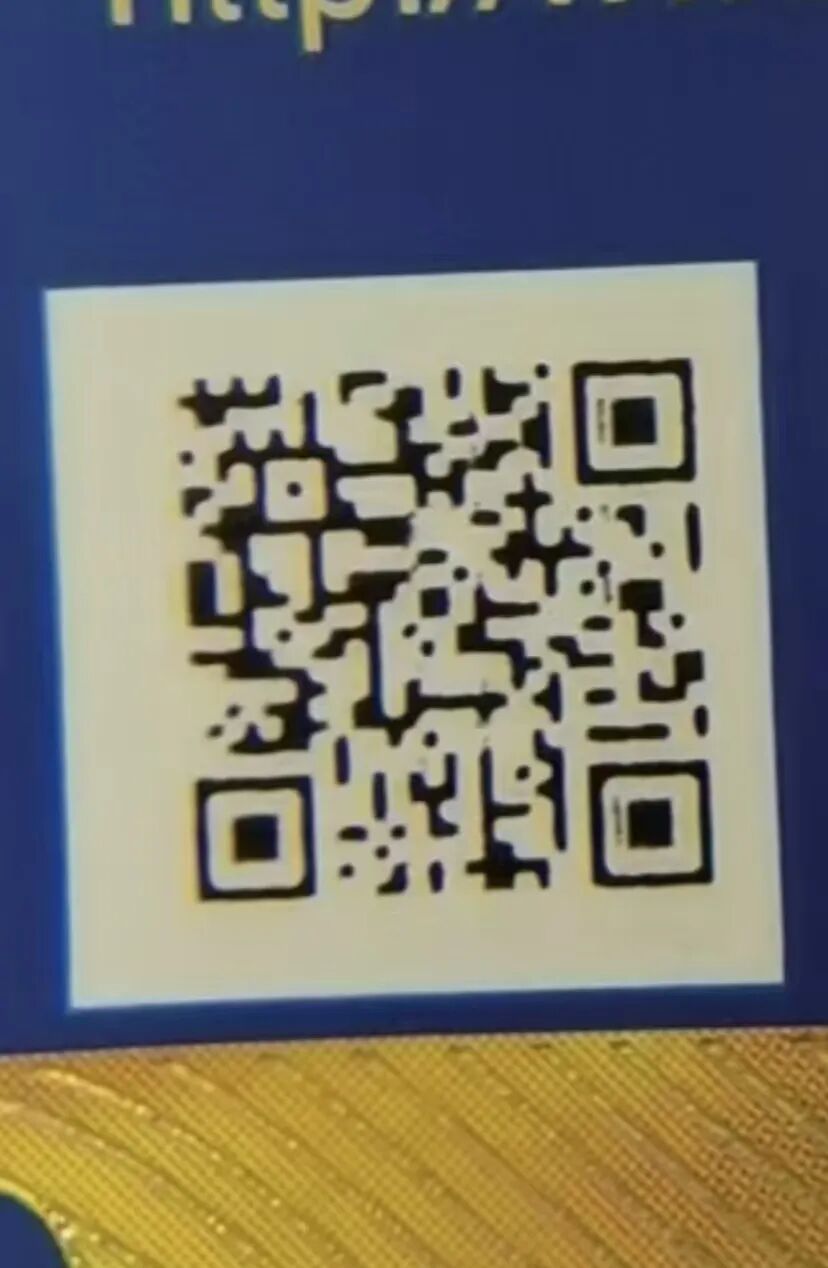
Figure 1: Quality defects in QR code caused by blurred lines
These quality issues are not due to the equipment itself, but rather the result of poor ink drop conditions and improper process parameter settings.
Optimization Solutions
01/ Precise Control of Ink Drop
(1) Control the ejection force: Reduce the driving strength of the printhead to slow down the initial speed of the ink drops, allowing them to hit the paper gently. This prevents the ink from splattering and spreading, reducing the problem of white modules being stained and improving the black-and-white contrast of the QR code.
The ideal distance between the printhead and the paper is 1–2 mm. Too high, and the ink drop travels too far; too low, and the ink drop doesn't form perfectly, both of which can cause smudging on the paper. Different ink drops require different voltages; the printhead voltage is generally best set at 30V–35V, otherwise the ejection force may be too weak or too strong. For this machine, the module's vertical position is set at 159.4 mm, which adjusts the printhead surface to about 1.4 mm above the paper. Using small ink drops, the printhead voltage is set to 30V, as shown in Figure 2.
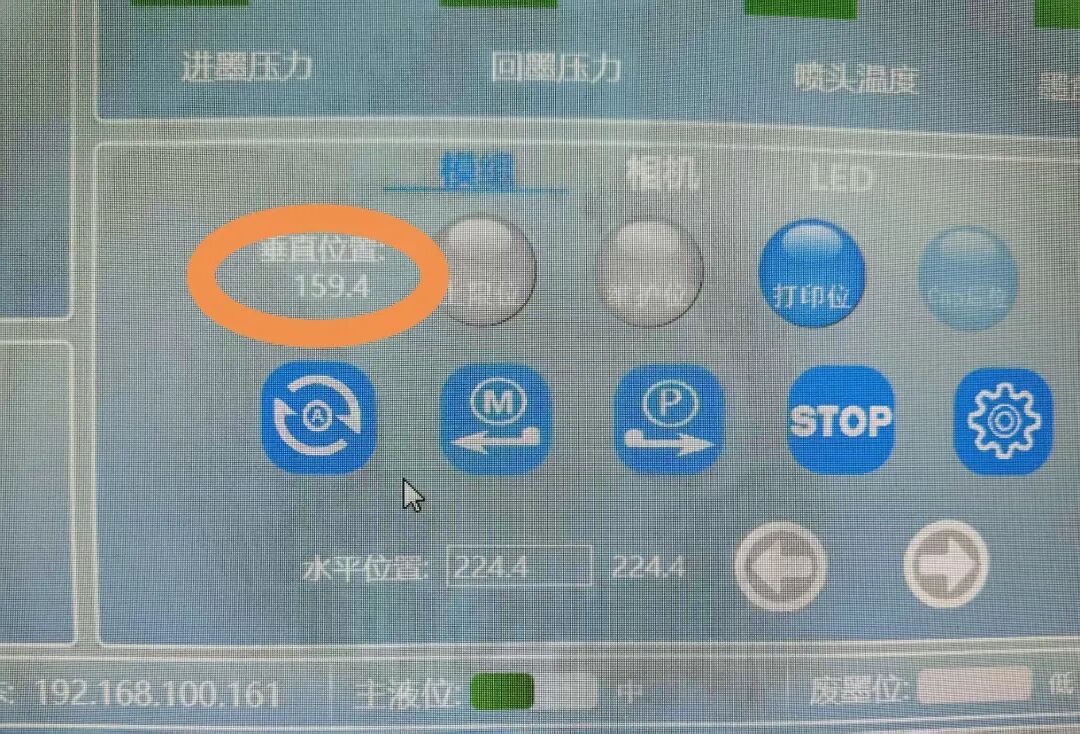
Figure 2 Adjusting the vertical position of the printhead module
(2) Enhancing ink droplet cohesion: Optimize the printhead drive waveform to prevent ink droplets from splitting in flight, reduce tiny ink spots, and avoid white lines or broken lines caused by airflow interference during paper belt operation, keeping the droplets in their complete form for precise placement.
02/ Fine control of ink droplet state
(1) Negative pressure system calibration: Keep the negative pressure for ink supply and return within a reasonable range to improve droplet recovery efficiency and prevent residual ink buildup in the printhead that could disturb printing flow, causing white or black lines. For stable ink supply, the standard pressure difference is -25 mbar; the machine is adjusted to -15 mbar for ink supply pressure and -40 mbar for return pressure.
(2) Temperature control: Precisely maintain the printhead temperature at 45°C to keep ink viscosity stable, avoiding changes in droplet volume or shape due to temperature fluctuations or local overheating, or tiny bubbles that could lead to missing or flying ink.
With precise control, the ink droplet spreads accurately, ensuring both full and even black areas while preventing excessive spreading into white areas, keeping QR code edges sharp and contrast clear.
(3) Speed matching: The paper running speed affects QR code printing quality if it's too slow or too fast. To match the ink fluid characteristics, the machine keeps production speed steady at 125–135 m/min, matching the printhead's optimal firing frequency for good print quality.
The printhead used is a Fujitsu Samba G41 with 2048 nozzles. During use, individual nozzles may underperform occasionally, but you can skip unstable nozzles (as shown in Figure 3) to suit the QR code sample area. With the printhead's repair function, these nozzles can return to normal performance.
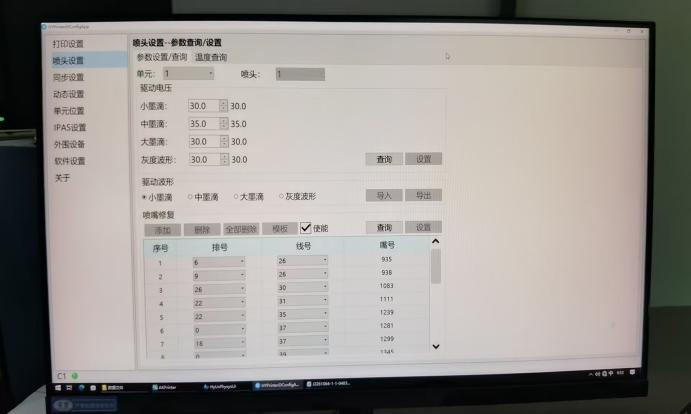
Figure 3 Adjust to Avoid Unstable Nozzles
03/ Choose Paper Positioning
Use high-contrast markings, avoiding reflective or multicolor junction areas, to ensure the visual sensor can reliably detect and prevent QR code printing from being skewed or misaligned. The machine marks dark areas with white squares as positioning marks, making sure the QR code is accurately centered on the white square, as shown in Figure 4.
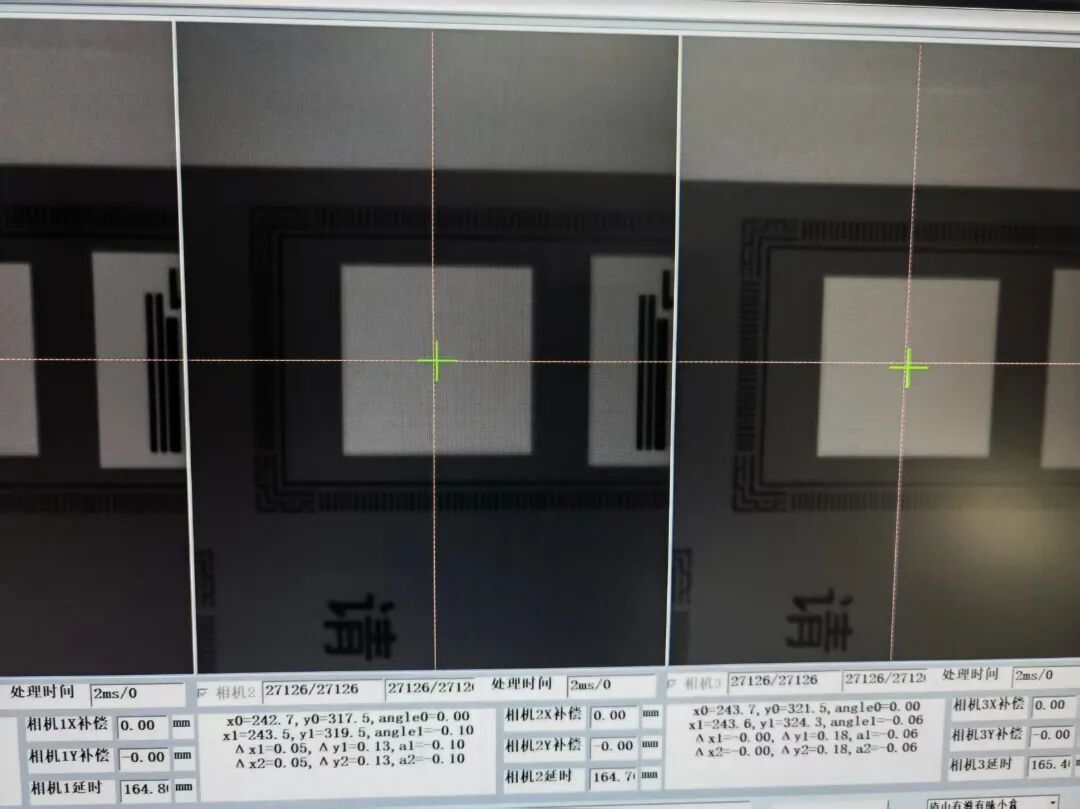
Figure 4 Select the paper positioning mark
04/ Improve the production environment
Reduce the impact of paper static electricity, especially for soft-label cigarette pack products with paper quantities less than 100g/m2, to avoid poor paper feeding. Properly ground the metal bridge board, add static elimination devices, and use central air conditioning or humidification equipment to control workshop temperature between 26~28°C and humidity at 55~65%, maintaining high-speed and smooth paper conveying.
05/ Pay attention to maintenance details
Maintain regularly every week, using non-woven fabric and specialized cleaning agents to gently clean the printhead and reduce dust and paper lint residue on the printhead. Do not use other rough, dehairing wipes, corrosive cleaners to clean the printhead, or rub it forcefully, as this will cause irreversible damage to the surface coating and microstructure, leading to QR code printing quality defects.
Generally, equipment is equipped with a spare printhead module. Depending on the coding product, operators should rotate between various printheads to ensure balanced usage time, prevent prolonged idleness, and prevent ink buildup inside the head, which could cause poor ink circulation. At the same time, the status of each ink pump should be checked annually, and any with poor ink supply and return performance should be replaced.
Effectiveness and value
With full-process ink droplet control as the core, the printing quality of QR codes on cigarette packs achieves good control in multiple aspects. Cigarette packs have excellent appearance, with clear and sharp black-and-white module boundaries, no defects such as smudging, white lines, or broken lines, and uniform contrast; The scanning level is generally ≥ 3, with a high first-pass rate; Long-term high-speed printing production with no ink breaks or uneven depth, stable quality, and efficient production.